National Scholarship Portal 2026-27 Apply Online How to Apply for NSP Scholarship Step by Step Many students wait every year for the chance to get help with their studies through government support The National Scholarship Portal opens doors for school and college students
who need this help for the year 2026-27 You can complete everything online from your home if you follow the right steps carefully This guide walks you through the full process in simple words so you feel confident and ready to finish your form without confusion
What Is the National Scholarship Portal
The National Scholarship Portal brings many central and state schemes together in one place Students from different classes and categories can check schemes that match their needs and fill forms online For the academic year 2026-27 the portal started accepting applications from the first of June Students need a special One Time Registration number before they can apply for any scheme
This number stays with you for your whole study life so you do not create a new account every yearThe portal works with Aadhaar details to keep the process safe and clear Once your registration finishes you log in and choose the scheme that fits your situation The money reaches the bank account linked with Aadhaar after the institute and higher levels check the form
Why One Time Registration Matters
One Time Registration creates a unique fourteen digit number linked to your Aadhaar This number becomes your permanent identity on the portal From the year 2024-25 onward every student must generate this number before filling any scholarship form Whether you apply for the first time or continue from earlier years the same number works
You generate it only once and use it for all future applications Many students face trouble at the start because they miss small details The process needs two mobile apps and a clear face check Keep your Aadhaar linked mobile ready and make sure the biometrics stay unlocked
Step by Step Guide to Generate OTR
Start by opening the official site scholarships.gov.in Look for the section about One Time Registration You can also begin through the mobile apps First install the NSP OTR app from the Play Store Also install the Aadhaar Face RD app because the face check needs both apps
Open the NSP OTR app and choose the register option Enter your active mobile number and wait for the OTP Type the OTP and captcha then move ahead Select the option for Aadhaar and enter your twelve digit number Another OTP reaches the Aadhaar linked number Fill that and continue You receive a reference number on your mobile Keep this number safe
Now the face authentication part begins Inside the app choose proceed for face authentication The Aadhaar Face RD app opens automatically Read the instructions carefully Your face must stay in good light The background should stay plain and light colored Do not wear glasses or a cap Keep your face clean and look straight When the circle turns green blink your eyes once The system captures the photo automatically
If the mark stays red move to a brighter place or adjust the angle After success the screen shows congratulations and your OTR number The same number also reaches you by message along with a temporary password Take a screenshot of the OTR number and keep it safe You will change the password when you log in the first time
Some students find the face check fails because biometrics stay locked Open the mAadhaar app and unlock them before trying again Update the Aadhaar Face RD app if an error code appears
How to Log In and Start the Scholarship Form
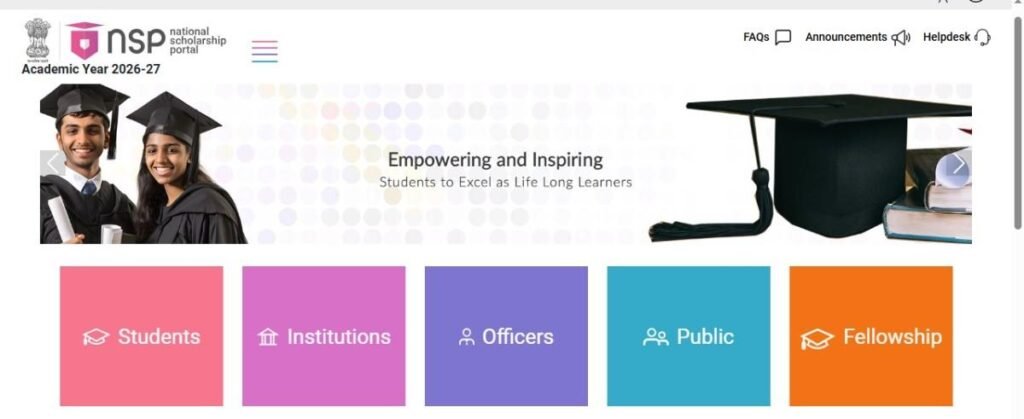
Visit the official portal again and choose the students section Select login with OTR Enter the fourteen digit number and the temporary password On first login the system asks you to create a new password Type a strong password twice and save it After login you reach the dashboard Click proceed and accept the guidelines Choose your state and the correct scholarship category Select fresh application if this is your first time or renewal if you applied earlier
The form opens in simple sections Fill basic details first Many fields already appear from your Aadhaar data Check every name and number carefully Move to academic details Enter your current class or course marks and institute name If you have semester results choose the latest available one Save and continue at each step
Uploading Documents and Final Submit
The next part asks for documents Keep scanned copies ready in the size between twenty KB and five hundred KB Clear copies work best so the officer can read every number Income certificate caste certificate if needed previous marksheet and bank details often appear as required options Some schemes do not ask for bonafide certificate so check the list carefully Upload each file and view it once to confirm the quality
After documents finish the undertaking page appears Read it mark the check box and click final submit A confirmation message shows that the form reached the institute level for checking Download the application printout and take it to your college head for signature and stamp Keep this paper safe for your records
If no scheme shows as eligible double check the category and income details you entered Sometimes waiting a short time helps the system refresh
Read more : Ai tool
Helpful Tips for Smooth Application
Choose a quiet place with strong light for the face check Keep the Aadhaar linked mobile nearby the whole time Write down the OTR number and password in a safe notebook Check your bank account stays linked with Aadhaar and active Submit the form early so the institute gets enough time for verification Track the status on the same portal after a few days If any error appears correct it quickly and resubmit
Common Service Centres also help students complete the full process for a small fixed charge if you face difficulty with the apps or internet
After Submission What Happens Next
The institute nodal officer checks the form first Then higher levels complete their checks The status changes to under process for verification at institute level Once everything clears the amount reaches your bank through direct transfer You can see payment updates on the portal or related systems using your application details
Stay patient because verification takes some weeks Keep checking the status regularly and respond if the portal asks for any extra information unlick
official site scholarships.gov.in
Frequently Asked Questions (FAQs)
1. What is OTR on the National Scholarship Portal (NSP)?
OTR (One Time Registration) is a 14-digit unique number generated using your Aadhaar details and Aadhaar Face Authentication. This number remains valid throughout your academic career and is required to apply for scholarships on the National Scholarship Portal (NSP).
2. How do I complete Face Authentication for OTR?
To complete Face Authentication:
- Install the NSP OTR App and Aadhaar Face RD App.
- Enter your OTR reference number.
- Follow the on-screen instructions.
- Stand in a well-lit area with a plain background.
- Look at the camera and blink when prompted until verification is successful.
3. Can I apply for an NSP scholarship without Aadhaar?
No. You need either an Aadhaar Number or an Aadhaar Enrolment ID (EID) to generate your OTR. Without it, you cannot complete the scholarship application process. If your Aadhaar details are incorrect, update them before applying.
4. What documents are required for the NSP Scholarship application?
The required documents may vary by scholarship scheme, but generally include:
- Income Certificate
- Previous Year’s Marksheet
- Caste Certificate (if applicable)
- Bank Account Details
- Passport-size Photograph (if required)
- Other documents specified by the selected scholarship scheme
Keep all scanned documents clear and within the prescribed file size.
Read more :
5. When is the last date to apply for the NSP Scholarship 2026-27?
The National Scholarship Portal opened applications from 1 June 2026. Most scholarship schemes accept applications until October 2026, but the exact deadline varies depending on the scholarship. Always check the official NSP portal for the latest schedule.
6. Can I edit my NSP application after submitting it?
In most cases, you can edit your application only before the final submission or within the correction window (if provided). Once the application is finally submitted and verified, further changes may not be allowed.
7. How can I check my NSP Scholarship application status?
You can check your application status by logging in to the National Scholarship Portal using your OTR/Application ID and password. Go to the “Track Application Status” section to view the latest updates.
8. Is Face Authentication mandatory for all students?
Yes. Face Authentication is mandatory for generating the OTR. Without successful verification, you cannot proceed with the NSP Scholarship application.
9. What should I do if my Face Authentication fails?
If Face Authentication fails:
- Ensure you have a stable internet connection.
- Use a well-lit environment.
- Keep your face clearly visible.
- Restart the NSP OTR and Aadhaar Face RD apps.
- Try again or contact the NSP Helpdesk if the issue continues.
10. How can I avoid mistakes while applying for the NSP Scholarship?
To avoid rejection:
- Enter all personal and academic details correctly.
- Match your Aadhaar and bank details.
- Upload clear documents in the required format.
- Review the application carefully before final submission.
- Submit the form before the last date.
2 thoughts on “National Scholarship Portal 2026-27 Apply Online: How to Apply for NSP Scholarship Step by Step”