OriginOS 7: Android 17 Features, Release Date, Supported Phones and What’s New
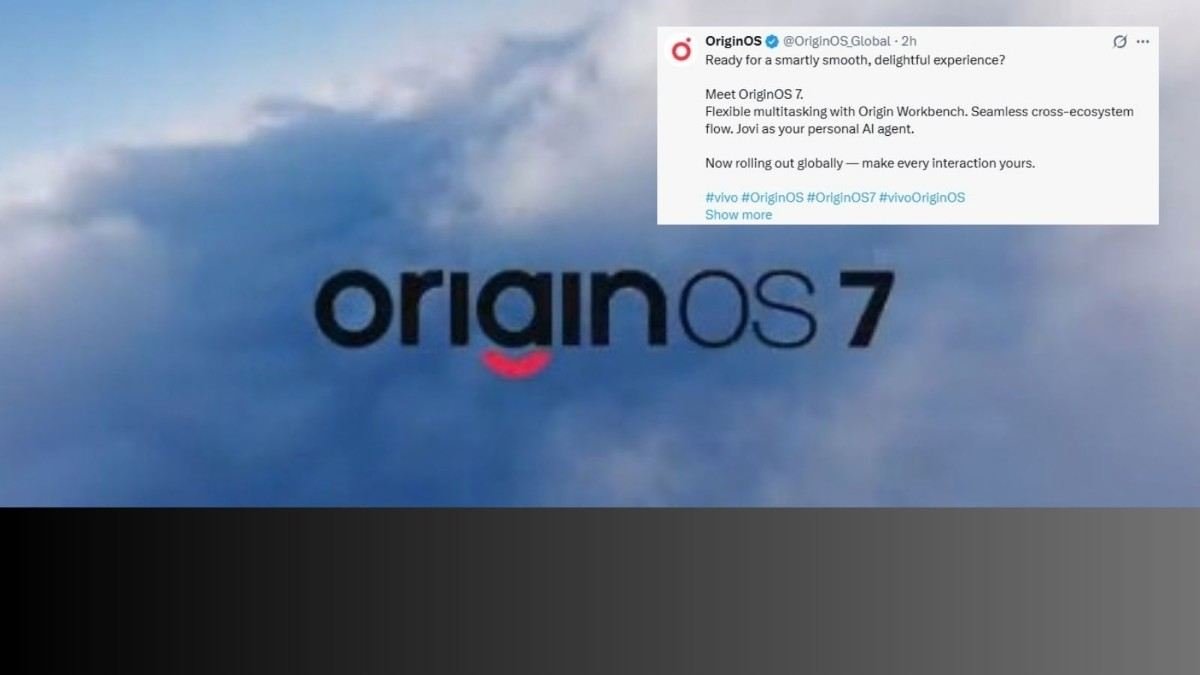
vivo has introduced OriginOS 7, its next major software update built on Android 17. The update focuses on smoother system animations, more responsive touch interactions, improved multitasking tools, expanded AI assistance, and better continuity across compatible devices.
In India, a limited preview programme opened earlier for users of the vivo X300 Pro and iQOO 15. The global launch was announced for September 21, 2026. This article explains the main changes in OriginOS 7, how the China and global/India rollouts differ, which devices are involved so far, and practical points users should consider before updating.
What Is OriginOS 7?
OriginOS is vivo’s customized user interface that runs on top of the Android operating system for vivo and iQOO smartphones and selected tablets. OriginOS 7 is the latest version and is based on Android 17.
Android 17 serves as the underlying operating system that provides core security, app compatibility, and system services. OriginOS 7 layers vivo’s design language, performance optimizations, multitasking tools, and additional features on top of it. The result is a software experience tailored for vivo and iQOO hardware.
China and global versions of OriginOS are not automatically identical. Regional services, pre-installed apps, and certain features can differ by market. The exact experience on any phone also depends on the device model, hardware capabilities, and the stage of the software rollout.
OriginOS 7 Release Date and Global Rollout
OriginOS 7 Global Launch
vivo announced the global introduction of OriginOS 7 for September 21, 2026. This followed the China unveiling at the vivo Developer Conference on September 16, 2026.
A preview programme for selected devices in India was already open before the global date. Preview or beta access is separate from the stable public rollout. Stable updates usually arrive later in phases and may follow different timing by region.
OriginOS 7 India Availability
In India, the preview programme was made available for the vivo X300 Pro and iQOO 15. Reports indicated approximately 500 slots per device. Registration did not guarantee selection.
Users needed to meet minimum software version requirements on their devices and apply through the system update settings. The preview allowed early testing ahead of wider availability. Wider stable availability in India and other global markets will follow vivo’s phased schedule and can vary by model and region.
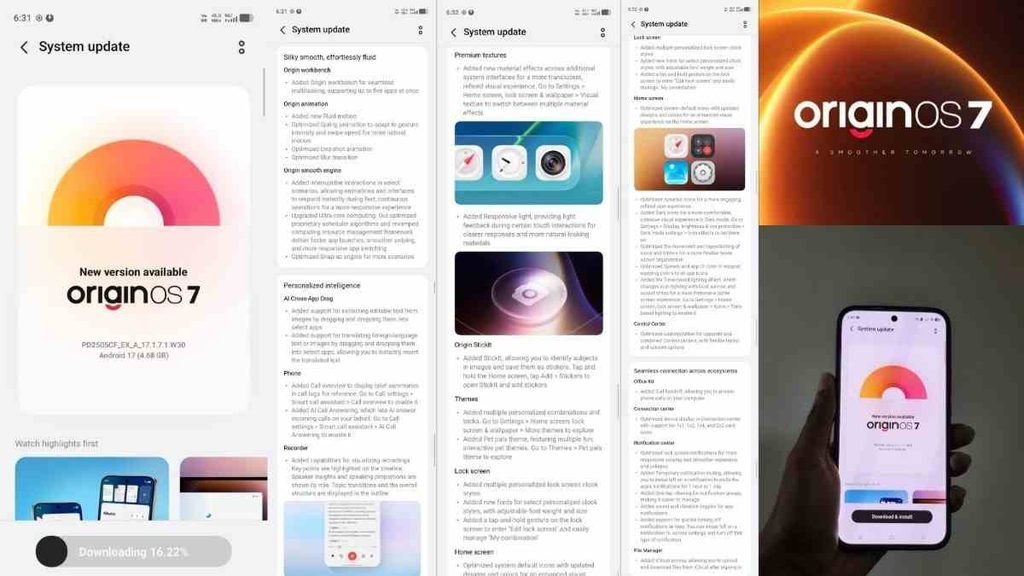
OriginOS 7 Features
Origin Smooth Engine
Origin Smooth Engine is the system-level framework vivo describes for improving overall responsiveness. It focuses on touch response, animation timing, and reducing lag during everyday interactions.
Users may notice smoother scrolling, app switching, and transitions in supported scenarios. These are optimizations claimed by vivo rather than independent measurements of every device under all conditions.
Ultra-Core Computing
Ultra-Core Computing refers to how the system allocates processing resources. It prioritizes demanding tasks such as gaming, multitasking, or video work while managing background processes.
The goal is a better balance between performance and battery use during heavy loads. Actual results depend on the specific phone’s processor, cooling, and usage patterns.
Dual Rendering
Dual Rendering involves changes to the graphics pipeline and compilation process. vivo positions it as a way to support richer visuals and smoother animations more efficiently.
It is intended to reduce frame drops and keep interface motion consistent. Technical details remain high-level in public materials, so the practical difference is best judged on a supported device after the update arrives.
More Fluid Animations and Touch Response
OriginOS 7 expands fluid motion across system interfaces. This includes animations for app launches, page transitions, scrolling, and gestures. vivo has referenced coverage across a large number of scenarios (including figures such as 130+ for certain elastic effects in China materials). These should be treated as company statements rather than independent tests.
Consistency across different apps and usage situations is a stated focus. Experience can still vary with third-party apps and device hardware.
OriginOS 7 Design and Customization
New Visual Design
OriginOS 7 introduces a more translucent visual language with dynamic lighting effects and updated system materials. Elements can appear softer and more layered compared with previous versions.
Home screen and lock screen layouts receive refreshed options, along with new wallpapers and visual styles. The exact look depends on the chosen theme and device display capabilities.
Lock Screen and Home Screen Customization
Users gain additional control over clock styles, fonts, lock-screen editing, wallpapers, and system icons. These options build on earlier OriginOS customization tools and allow more personalization of the everyday interface.
Availability of specific styles or effects can differ by region and software build.
Origin Workbench and Multitasking
Origin Workbench is the multitasking workspace introduced or expanded in OriginOS 7. It is designed to let users keep multiple apps active in a shared space on standard smartphone form factors.
Possible everyday uses include reviewing notes while browsing, working on a document while messaging, or monitoring a video alongside another task. vivo materials describe support for coordinating several apps at once.
The feature relies on underlying system optimizations for memory and rendering. Real-world usefulness depends on screen size, available RAM, and how the apps themselves behave in multi-window mode.
Cross-Device Connectivity
OriginOS 7 continues vivo’s work on continuity between phones, tablets, and other compatible devices in the ecosystem. This can include transferring files, continuing tasks, or sharing content more easily.
Feature availability and the depth of integration depend on the specific devices involved, their software versions, and the region. Not every combination of hardware will support every continuity option.
Jovi AI Agent in OriginOS 7
Jovi serves as the AI assistant and agent in OriginOS 7. An AI agent generally goes beyond answering questions by attempting to help complete or coordinate certain user tasks in context.
vivo positions it for productivity and everyday assistance. Capabilities, language support, and integration depth can vary by region, device, and the current software version. Users should not assume identical AI behaviour across all markets.
Privacy and Security Features
OriginOS 7 includes updates related to permission management. Reports mention clearer alerts for sensitive access such as location, microphone, and camera, along with temporary notification controls.
These changes aim to give users more visibility and control. Security improvements continue to build on Android 17’s foundation. Any AI-related certifications or specific claims should be verified from official documentation for the user’s region, as they are not universal.
OriginOS 7 Supported Devices
Rollout differs between China and global markets. China has a published phased schedule beginning around October 9, 2026, for certain flagship and recent models. Global and India schedules are announced separately and often lag or differ in order.
Read more : Unlick
X post : Source
| Device | OriginOS 7 Status | Notes / Timing |
| vivo X300 Pro | Preview available in India; China first-wave candidate | Preview limited slots; stable timing device- and region-specific |
| iQOO 15 | Preview available in India; China first-wave candidate | Same as above |
| Other recent vivo / iQOO flagships and selected models | Phased rollout | China schedule starts October; global details follow announcements |
| Older or mid-range models | Later phases or to be confirmed | Availability depends on official support policy |
China lists should not be treated as the India or global schedule. Always check the device’s official software update section for the latest status.
OriginOS 7 Beta or Preview Program in India
Eligible Phones
The India preview focused on the vivo X300 Pro and iQOO 15.
How to Check the Preview Program
Typical steps reported for registration were:
- Open Settings.
- Go to System Update.
- Open the menu (often three-dot or similar).
- Look for Upcoming Updates or Closed Beta / Version trial options.
- Select View Details and submit the required information.
Exact menu names can change with software builds. Registration windows were time-limited and selection was not guaranteed.
Is the OriginOS 7 Beta Safe to Install?
Preview software is intended for testing. Users may encounter bugs, unexpected battery behaviour, app compatibility issues, or the need to reinstall apps. Backing up important data is strongly recommended.
People who rely on their phone for work, banking, or daily critical tasks often prefer to wait for the stable public release. Community guidance from iQOO and similar sources typically notes these risks.
OriginOS 7 vs OriginOS 6
| Area | OriginOS 6 (relevant devices) | OriginOS 7 |
| Android base | Android 16 on launch devices such as X300 Pro and iQOO 15 | Android 17 |
| Visual design | Previous design language | Updated translucent / liquid-style system with dynamic lighting |
| Animations | Existing motion system | Expanded smoothness-focused improvements |
| Multitasking | Existing tools | Origin Workbench experience |
| AI | Existing AI tools | Expanded agent-style features via Jovi |
| Customization | Existing options | Additional lock-screen, home-screen and visual controls |
The comparison simply lists documented differences. Individual preference will vary.
What Users Should Know Before Updating to OriginOS 7
- Back up photos, documents, and important app data.
- Use a stable Wi-Fi connection.
- Ensure the battery is adequately charged.
- Check available storage space.
- Understand that preview/beta builds differ from stable releases.
- Test critical apps (banking, work, messaging) after updating.
- Expect phased availability that depends on model, country, and current software version.
- Avoid unofficial firmware sources.
These steps reduce common risks associated with major system updates.
OriginOS 7 Pros and Limitations
Potential benefits
- Refreshed visual design and customization options
- System-level work on smoothness and responsiveness
- Expanded multitasking via Origin Workbench
- AI assistance through Jovi
- Continuity features within the compatible ecosystem
Things to keep in mind
- Features and performance can be device-specific.
- Regional differences exist between China and global versions.
- Preview software may contain bugs.
- Stable rollout is phased and not simultaneous for all phones.
- Marketing claims about percentage improvements are company statements, not independent verification for every scenario.
Frequently Asked Questions About OriginOS 7
What is OriginOS 7?
OriginOS 7 is vivo’s customized software layer based on Android 17 for compatible vivo and iQOO devices. It includes design, performance, multitasking, and AI updates on top of the Android base.
Is OriginOS 7 based on Android 17?
Yes. OriginOS 7 is built on Android 17.
When did OriginOS 7 launch globally?
The global launch was announced for September 21, 2026. China unveiling took place earlier on September 16, 2026.
Is OriginOS 7 available in India?
A limited preview programme opened for the vivo X300 Pro and iQOO 15. Wider stable availability depends on the ongoing phased rollout for each model.
Which phones are getting OriginOS 7?
Confirmed early devices include the vivo X300 Pro and iQOO 15 for preview. Many other recent vivo and iQOO models are expected in phases, especially in the China schedule beginning in October. Check official channels for your specific device.
Can I install OriginOS 7 beta on my vivo X300 Pro?
If the preview programme is still open and your device meets the software requirements, you can apply through the system update menu. Selection is limited and not guaranteed.
Is OriginOS 7 better than OriginOS 6?
OriginOS 7 moves to Android 17 and adds new design, smoothness, multitasking, and AI elements. Whether it feels better is subjective and depends on individual priorities and the specific phone.
What is Origin Smooth Engine?
It is vivo’s system framework aimed at improving touch response, animations, and overall fluidity through deeper optimizations in graphics, scheduling, and memory handling.
What is Jovi AI Agent?
Jovi is the AI assistant in OriginOS 7 that can help with contextual tasks. Its exact capabilities and availability vary by region and device.
Will OriginOS 7 be the same in China and India?
Core design and many system features are expected to be similar, but regional services, apps, and some functions can differ. Always verify details for your market and model.
Final Thoughts
OriginOS 7 is vivo’s Android 17-based update that emphasizes smoother interactions, multitasking tools such as Origin Workbench, visual customization, AI assistance via Jovi, and cross-device continuity. The precise experience will depend on the device, region, and whether the user receives a preview or stable build.
If you own a supported vivo or iQOO phone, the most reliable way to check availability is the official software-update section on the device itself rather than third-party sources or unofficial firmware