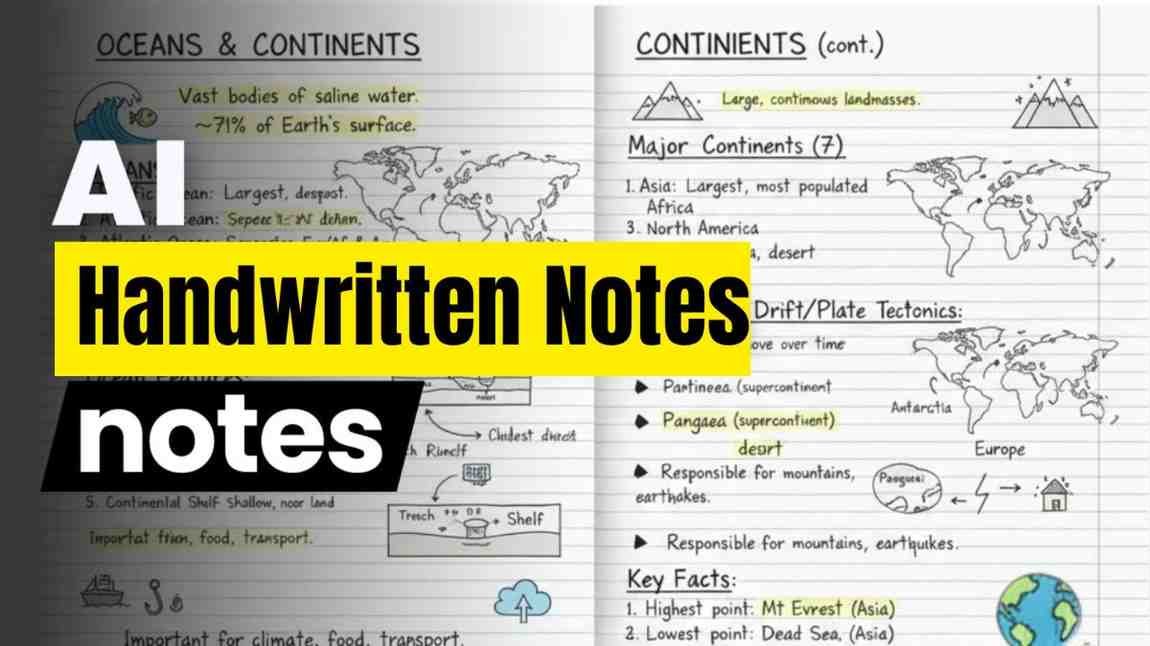
Making notes by hand always feels like a long job. You sit down read the topic write everything carefully then try to make it neat and organized. Most of us run out of time or energy before the notes even look good.
Teachers who make visual pages for classes and students who prepare for tests know this struggle well. Now there is a simple way to get ready made handwritten style notes in just a few minutes using a free online tool. You type a clear request and the tool creates an image that looks like real student writing on lined paper complete with yellow highlights and underlines on the important parts.
These notes help you understand any topic faster and share them easily with others. The process feels almost like magic the first time you try it. You open the tool choose the create image option and give it a simple request. One useful request is creating a handwritten study note about the topic use a student handwriting font on lined paper use a yellow neon marker to highlight important terms and underline key points.
The tool then builds a full page that looks natural and friendly. The writing sits on lines just like a notebook the yellow marks pull your eyes to the main words and the underlines show the strongest ideas. You can save the image right away and use it for studying teaching or making content.
How the Process Works in Real Life
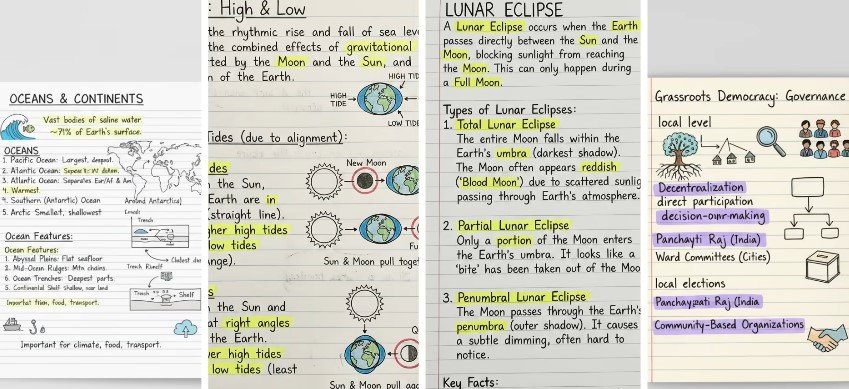
Let us walk through a real example so you can see it clearly. Take the topic of tides. You type the request with tides as the subject. In a short time, the tool gives you notes that explain what tides are the different types of tides how high tide forms how low tide comes and the way the moon affects everything.
Proper diagrams appear next to the writing so you can see the water rising and falling. The whole page looks ready to study from as if a careful student spent hours drawing and writing it. You download the image and keep it on your phone or computer. Now change the topic to lunar eclipse.
The same request with the new subject brings fresh notes. You see clear steps of how the eclipse happens the positions of the sun the moon and the earth and helpful diagrams that make the idea easy to grasp. The handwriting style stays the same the lined paper stays the same and the yellow neon marks still highlight the key terms.
It feels consistent and neat every time. Another tries with grass root democracy governance shows something interesting. The tool creates notes with images and doodles that look creative. Yet the first version sometimes misses some details and feels incomplete. This happens because every topic is different.
A simple copy of the request does not always fill every gap. You need to guide the tool a little more by asking it to add extra points or clearer explanations. Once you do that the notes become fuller and more useful. This small step of guiding is what turns an average page into a strong study page.
Why Handwritten Style Notes Help You Learn Better
Notes that look handwritten feel personal and warm. Your brain often remembers them more easily than plain typed text. The yellow highlights act like little flags that say pay attention here.
The underlines give extra weight to the main ideas. When diagrams sit next to the writing the whole topic becomes clearer in one glance. Students who use these notes for revision often find they can recall the points faster during tests. Teachers who show these pages in class notice that learners stay more interested because the notes look friendly instead of formal and dry.
Time is another big gift. What used to take an afternoon of careful writing and drawing now happens in minutes. You spend your energy on understanding the topic instead of the mechanical work of putting it on paper.
Online teachers can prepare visual pages for many lessons without staying up late. Content creators who explain topics on video can add these neat images so viewers follow along easily. Anyone who wants to learn a new subject can build a set of notes quickly and keep them for later review.
Simple Tips That Make the Notes Stronger
Start with a clear topic name. Add the full style request every time so the tool knows the look you want. Mention lined paper student handwriting yellow neon marker and underlines. If the topic needs pictures ask for diagrams or simple drawings as well. After the first image appears look at it slowly.
Ask yourself what feels missing. Then type a follow up request like add more details about this part or make the diagram clearer. Staying in the same chat helps the tool remember what it already made so the next version improves without starting over. Practice with easy science topics first because they often have clear facts and natural pictures. Tides and lunar eclipse work well for beginners.
Social topics or longer subjects may need two or three rounds of guidance before every important point sits in place. Over time you learn the small words that bring better results. You begin to shape the request in a way that matches exactly what you need. The more you try the more natural the whole process becomes.
Keep the language in your request simple and direct. Long complicated sentences can confuse the tool. Short clear instructions bring cleaner pages. You can also ask for different layouts if you want the notes to fit a phone screen or a wider view. Small changes like that give you variety while the friendly handwritten look stays the same.
Everyday Stories of People Using These Notes
Imagine a student who has a big test next week. Instead of rewriting every chapter by hand the student opens the tool types a few topics one by one and collects neat pages for each. In one evening, the student has a full set of visual notes ready to revise. The yellow marks make the key terms jump out during last minute review and the diagrams help lock the ideas in memory.
A teacher who needs visual pages for an online class does the same. The teacher prepares notes on several subjects before the lesson starts. During the class the teacher shares the images so every learner sees the same clear page.
Students later save those images and study from them at home. The teacher saves hours of drawing time and the learners get consistent helpful material. A content creator who makes short videos about school topics uses the notes as background images or as slides. Viewers comment that the handwritten style feels warm and easy to follow.
The creator can focus on explaining the ideas while the tool handles the visual side. This balance makes the whole workflow lighter and more enjoyable. These everyday uses show that the method fits many different people.
Whether you study alone teach a group or share knowledge online the same simple steps bring useful results. The notes stay free to create and easy to keep. You only need a clear request and a little patience to guide the tool when needed.
Common Points That Need Extra Care
Not every first try comes out perfect. Some topics give incomplete pages at the start. Grass root democracy governance is one example where the first notes look creative yet miss several details. This is normal. The tool needs clear direction to fill every part. You simply ask for more information or better organization and the next version improves.
Learning these small techniques is part of the process. Once you understand how to shape the request the notes become complete and reliable. Another point is that results change from topic to topic. Science subjects with clear steps often work smoothly. Broader subjects may need extra rounds of guidance.
Treat each new topic as a short conversation with the tool. Start with the basic request then refine until the page feels right. This gentle back and forth is what brings the best outcome. The notes also work well when you combine them with your own thoughts.
After the image appears you can look at it and add a few personal examples in your mind or on a separate paper. This mix of ready visual pages and your own understanding make learning deeper and more lasting.
Building a Habit of Quick Useful Notes
Once you try the method a few times it becomes a natural habit. You open the tool whenever a new topic comes up. You type the request wait a short while and save the image. Over days and weeks, you collect a small library of neat pages on many subjects. Looking back at them feels easy because the style is consistent and friendly.
The yellow highlights and underlines still guide your eyes even after some time has passed. You can revisit older notes and ask the tool to improve them with new details. This keeps your collection fresh and complete.
The more you use the process the faster you become at shaping good requests. What once felt new soon feels simple and reliable. The overall experience stays light and helpful. Note making no longer feels like a heavy chore. Typing Jobs For Students
It becomes a quick step that supports real understanding. Students’ teachers and creators all gain extra time and clearer material. The handwritten look keeps the notes warm and human while the speed of the tool removes the old struggle of writing everything by hand. unlick
Prompts : Create a handwritten study note on about high tides and low tides. Use a student handwriting font on lined paper. Use a yellow neon marker to highlight important terms for revision and draw ried circles around important dates. And small doodles to explain the concepts better on A4 size paper.Frequently Asked Questions (FAQ)
1. How do I start making handwritten-style notes?
Open the AI tool, select the option to create an image, and enter a clear request describing the topic. You can mention details such as student-style handwriting, lined paper, yellow marker highlights, and underlines for important points. The tool can then generate the notes, which you can save for later use.
2. Can these handwritten-style notes be used for any subject?
Yes, they can be created for many different subjects. Science topics with clear steps or concepts may produce useful results quickly, while broader topics may require additional instructions to include all the important details.
3. Why do some notes look incomplete the first time?
The result can vary depending on the topic and the instructions provided. A short request may not include every point you want. You can provide additional instructions to refine the content and make the notes more complete.
4. How can handwritten-style notes help with studying?
A handwritten-style format can make study material feel more familiar and visually organized. Highlights can draw attention to important terms, while underlines can help separate key ideas and make information easier to review.
5. Do I need special practice to create good results?
No special practice is required to get started. Begin with a clear request and adjust it based on the result you receive. With regular use, you can learn how to write more specific instructions and create notes that better match your needs.